
Intelligent Auto-Retry Features
Smart Retry Rules
Configure custom retry rules based on repositories, workflows, job names, and failure patterns. Set max attempts, delays, and conditions for intelligent retries.
Complete Retry History
Track all retry attempts with detailed history including status, timing, and links to GitHub workflow runs. Filter by status, repository, and time range.
Comprehensive Analytics
Monitor retry success rates, time saved, daily trends, and identify most retried workflows. Make data-driven decisions to improve pipeline reliability.
Configurable Delays
Set custom delays between retry attempts to handle transient failures. Configure exponential backoff or fixed delays based on your needs.
See It In Action
Experience the power of automated retries with our intuitive dashboard and comprehensive analytics.
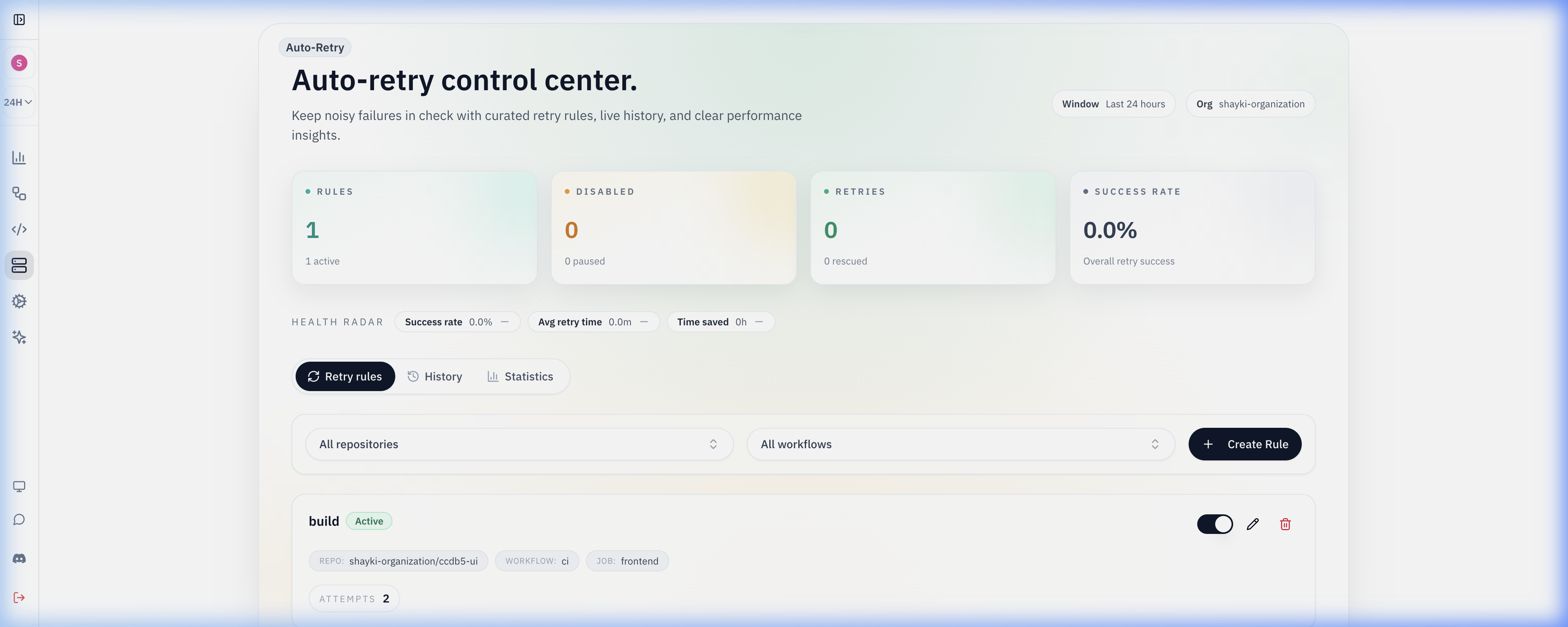
Our intelligent auto-retry system automatically handles transient failures, saving your team time and improving pipeline reliability.
How Auto-Retry Works
A simple yet powerful system that automatically retries failed jobs based on your custom rules.
Configure Retry Rules
Create custom retry rules targeting specific repositories, workflows, or job names. Set conditions like max attempts, delays, and failure patterns.
Automatic Detection & Retry
When a workflow fails, our system automatically checks if it matches any retry rules and triggers a retry with the configured delay. No manual intervention needed.
Track & Monitor Results
View detailed history of all retry attempts, including success rates, timing, and links to GitHub runs. Monitor trends and optimize your rules.
Analyze & Improve
Use comprehensive analytics to identify patterns, measure time saved, and continuously improve your CI/CD pipeline reliability.
Key Benefits
Transform your CI/CD pipeline with intelligent auto-retry
Save Time
Eliminate manual retries and reduce time spent investigating transient failures
Improve Reliability
Reduce false negatives and improve overall pipeline success rates automatically
Data-Driven Insights
Track metrics and analytics to continuously optimize your CI/CD processes
Controlled automatic retries
Define retry policies by error type, workflow, and branch to absorb transient infrastructure failures without manual re-runs.
Retry history shows what was retried, whether it succeeded, and how often each workflow benefits from auto-retry.
Safety caps prevent infinite retry loops and keep pipelines predictable for release engineering. Use GitHub Actions log search to find the exact error text for a retry rule’s pattern.
Auto-Retry FAQ
How do I automatically retry failed GitHub Actions jobs?
GitHub Actions has no native retry setting for jobs, so teams usually re-run failures by hand. Gitera watches completed runs and, when a failure matches one of your retry rules, re-runs only the failed jobs through the GitHub API instead of the whole workflow, which saves billable runner minutes on large pipelines.
Which failures should be retried automatically?
Retry transient failures such as network timeouts, registry rate limits, or runner provisioning errors, not deterministic test or build failures. Gitera rules can match by repository, workflow, job name, branch, conclusion type such as failure or timed_out, and regex patterns on the error message, so only known-transient errors are retried.
How many times will Gitera retry a job?
Each rule sets a maximum of one to five retry attempts and an optional delay in minutes between attempts. The cap prevents infinite retry loops, and the delay gives short outages, such as a package registry blip, time to recover before the next attempt runs.
How do I find flaky jobs in GitHub Actions?
Jobs that fail and then pass on retry without code changes are the clearest flakiness signal. Gitera's retry history records every attempt, whether it succeeded, and how often each workflow needed a retry, which turns anecdotal complaints about flaky CI into a ranked list of jobs worth fixing properly. The AI agent can also list the most failed and slowest jobs on request.
Related Gitera capabilities
Explore all features on the Gitera homepage or read insights on the blog.